Turn documents into a database you can use.
Pull just the columns you need out of PDFs and images.
DB Loom extracts the information you need from PDFs and images and turns it into structured data that follows the columns you define. Review and correct the results in a spreadsheet-like grid, then hand them on as CSV, JSON or through the API.
- Documents
- Define columns
- AI extraction
- Records
- CSV / JSON / API
AI reads the document and fills in your columns.
Invoices, receipts, application forms, contracts. AI understands the context of each document and extracts values that match the columns you defined. A document with several line items can become several records.
The text read from each document is kept, so changing a column re-extracts the data without reading the document again.
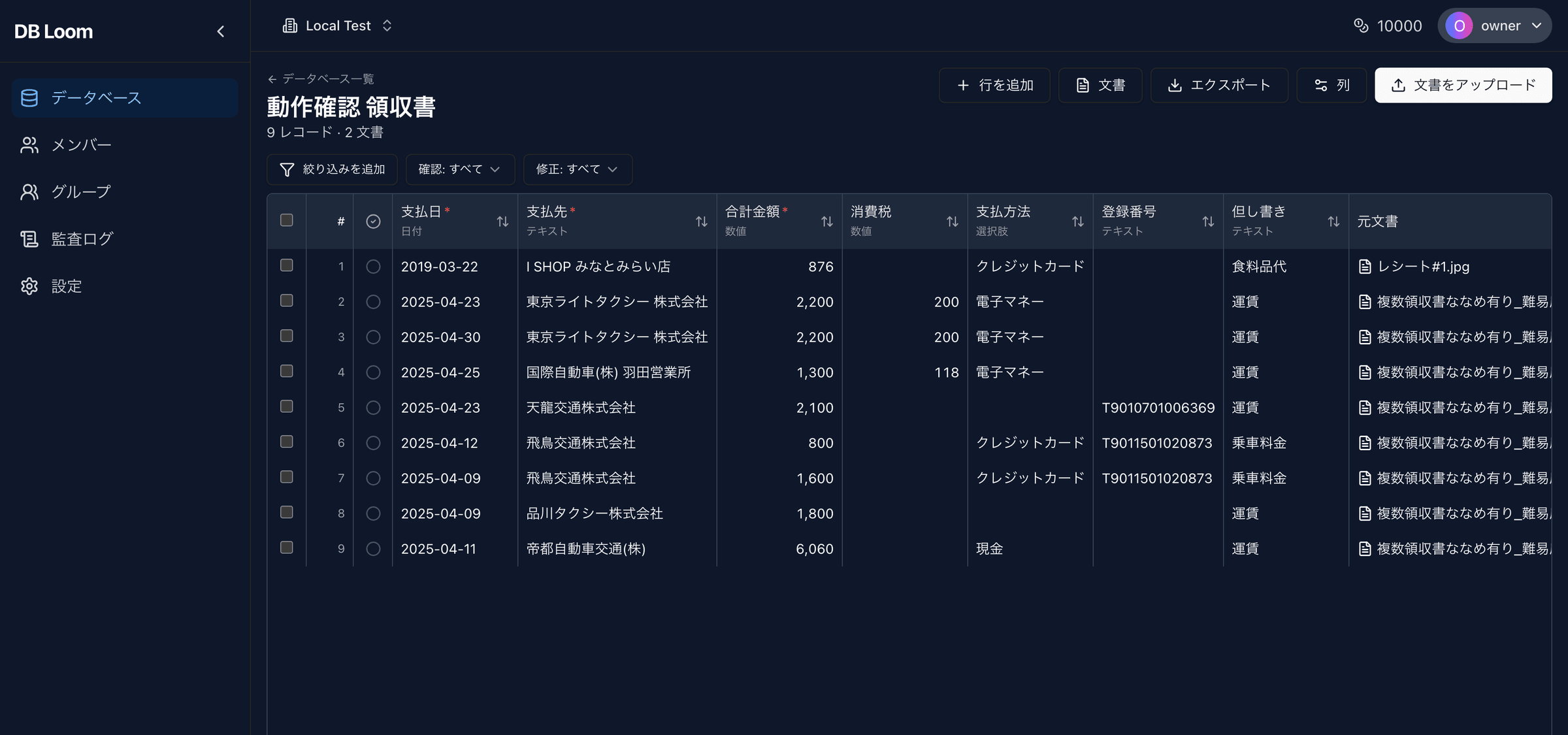
Describe the data you want as columns.
Define the fields to extract, such as "Payment date", "Payee" or "Total amount", as columns. Use the form for quick setups or a JSON Schema for fine control, or start from a template such as receipts.
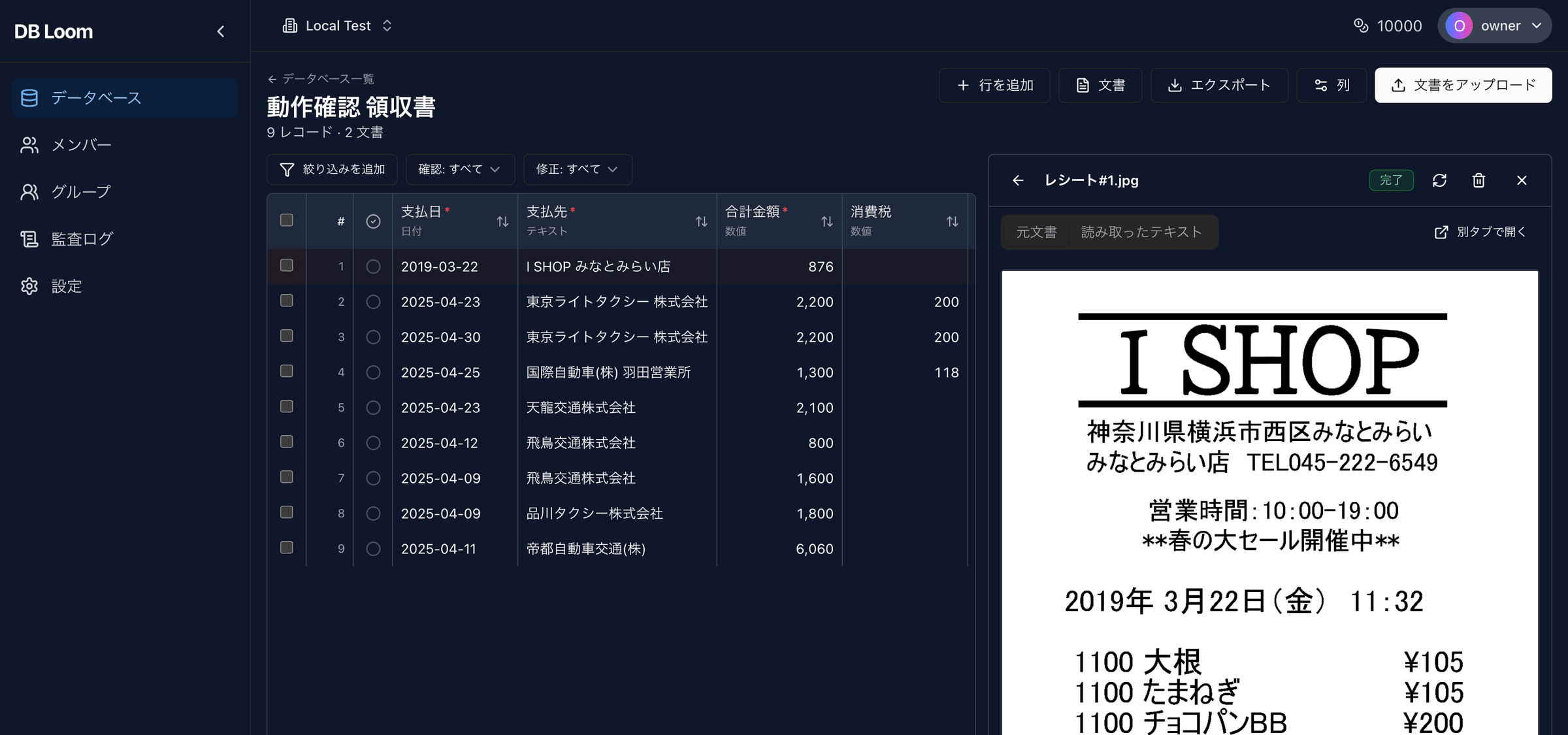
Fix values with the original document in view.
Extracted records appear in a grid you can edit in place. The AI value and the current value are stored separately, so every human correction is easy to spot.
Hand the data on as CSV, JSON or through the API.
Export records as CSV or JSON, or fetch them from the public REST API with an API key. Documents can be uploaded through the API as well, so DB Loom fits into your existing systems.
- CSV / JSON export
- REST API with API key authentication
- Document upload through the API
- Workspace members and audit log
From upload to integration in four steps.
A workflow that combines automatic extraction by AI with a final check by people
Upload
Drag and drop PDFs or images, or send them through the API
Extract by column
AI reads each document and creates records that follow your columns
Review and correct
Check and edit the grid with the original document in view
Integrate
Export as CSV or JSON, or pull the records through the API
Pay only for what you use. No fixed fees.
No monthly subscription. Credits are spent only on the documents you process.
- 100 free credits on signup
- No monthly fees
- Try without a credit card
For teams and high-volume processing
Dedicated support, custom integrations, dedicated databases and private cloud options tailored to your workflow.